











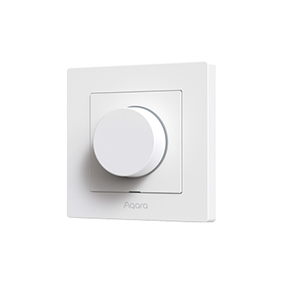
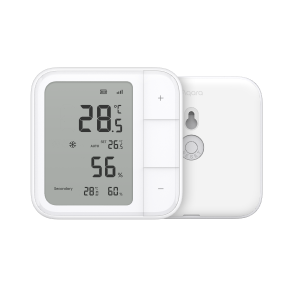
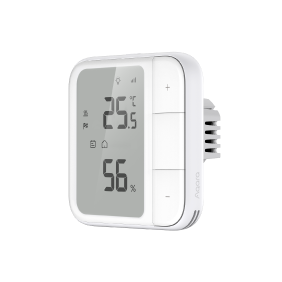
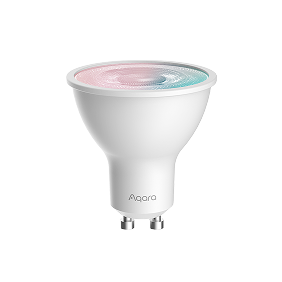
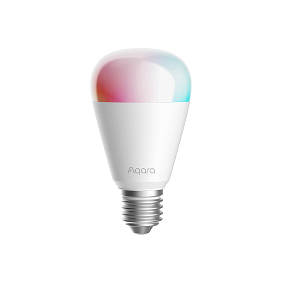
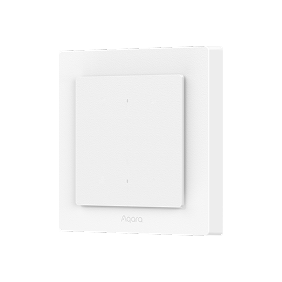
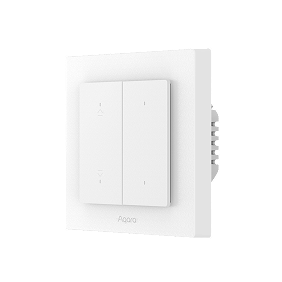
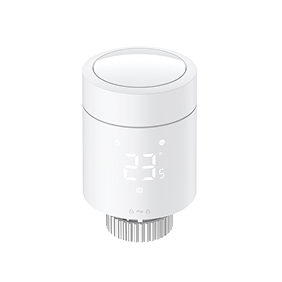
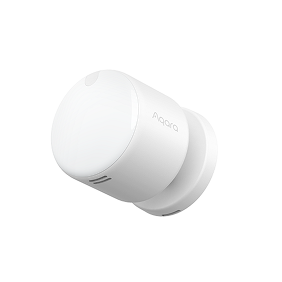
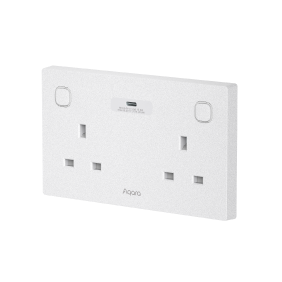

* To use the device with a particular Matter ecosystem, a Thread-enabled Matter Controller of this ecosystem is required.
** Aqara Zigbee hub required
Device Adding
Thread = a network protocol that Matter can run on (native).
If a device speaks Thread, and Matter is turned on, it can talk directly to a Matter Controller (Apple HomePod, Aqara Hub M3, etc.) without translation.
Thread-Enabled Matter Controller
Requires
HomePod
Echo Show
M3
Matter Ecosystems of Choice
Zigbee = an relatively older network protocol (like Thread, but not natively supported by Matter).
Aqara Zigbee Hub (Matter Bridge)
Requires
M100
M3
Aqara Home
Requires
Same Aqara Zigbee Hub (Matter Bridge)
Matter Ecosystems of Choice (optional)
OR
Features
Matter Standard Features
Matter Standard Features
and
Exclusive Features of Aqara Home
Choose Thread if
you want direct Matter integration, future-proofing, and cross-brand compatibility.
No hub, no hassle
Connect directly to Apple Home, Google Home, Alexa, or SmartThings without needing an Aqara hub in the middle.
Future-ready
Thread is the backbone of Matter, which means you’re set up for the next wave of smart home adoption.
Rejoining reliability
With Thread, devices can automatically rejoin another hub if one goes offline, ensuring your smart home keeps running smoothly-something Zigbee simply can’t do.
Stronger Mesh
Seamlessly join the same Matter-over-Thread ecosystem alongside other brands, strengthening your mesh network and making your setup more reliable.
Local binding
End devices (endpoints) in a Matter installation communicate directly with each other.
Choose Zigbee if
you want full Aqara functionality, extended life for battery devices, and backward compatibility with your existing Aqara setup.
Unlock Aqara’s full potential
Get access to advanced features like complex automations,device groups, and smart behaviors that Matter alone can’t deliver.
Backwards-friendly
Works seamlessly with your existing Aqara Zigbee hubs and keeps older devices in play.
Proven stability
Zigbee is a mature, rock-solid protocol that powers Aqara’s large device portfolio with reliability you can count on.
Easier commissioning
The hub automatically discovers any nearby Zigbee sub-device in pairing mode. No QR codes, no scanning.
One app, one ecosystem
Perfect if you’re already invested in Aqara and want to expand building on the current setup.
Aqara Home via Zigbee
Conntact Sensors
Temperature Sensing
Wireless Switch (single press)
Power-Off Memory
Static Effects
Adjustment
On/Off Transition Setting
Brightness Control
Humidity Sensing
Power Monitoring
Smart Calibration
Color Temperature
Custom Press Mode
Custom Calibration
Calibration Reminder
Freeze Protection
MARS Tech
Decoupled Switch Mode
Route Recalibration
Dimming Curve
Relay Lock
Indicator Light Setting
Network Reset *
Long press for 5 seconds
OR
Factory Reset*
Press consecutively 10 times
* This is a representative example of a product reset. Rest methods will differ depending on the model.
Select Device Protocol
The device supports multiple communication protocols. Please select the appropriate connection method based on your home gateway and usage requirements.
Can connect to third-party Matter ecosystem platforms, suitable for multi-brand device interconnection. Requires an Thread Border Router.
Zigbee protocol
Supports more Aqara exclusive functions, with more stable and faster local linkage. Requires an Aqara Zigbee hub.
FAQs about Matter
1) Install the Aqara Home app, and enable Wi-Fi and Bluetooth.
2) Reset the device to factory settings (press any button 10 times continuously) to enter network setup (first-time device adding will automatically enter networking), which shows slow-blinking indicator.
3) In the Aqara Home app, tap Add Accessory, scan the Matter code on the button, select Zigbee under Switch Protocol page. Proceed following the app’s instruction.
1) Install the Aqara Home app and enable Wi-Fi and Bluetooth.
2) Restore the device to factory settings (press any button 10 times consecutively), then enter network configuration mode.
3) In the Aqara Home app, tap “Add Accessory,” bring your phone close to the device, and the device will appear in the top left of the app. Tap the icon, select Thread on the “Switch Protocol” page, and follow the app instructions to complete setup.
The default protocol is Thread. Note: Factory reset will not change the current protocol until you switch to your desired one.
1) After restoring factory settings, check the LED indicator light to identify current protocol during device adding: Green/Blue blinking: Thread protocol Yellow/Purple blinking: Zigbee protocol Red: Adding Timeout *The blinking color may vary depending on the model and region. Please refer to the device’s FAQ for accurate details.
2) In the Aqara Home app, go to device’s setting page, tap “…” on the top right, tap “Communication Protocol”.
1) Make sure the Aqara Home app and the Aqara hub are updated to the latest firmware version.
2) Check if your phone and the Aqara hub are on the same local network.
3) Ensure that the Aqara hub is set as the primary Matter Controller: Go to the hub’s device page > Tap the “…” on the top right corner > “Matter Controller” > “Select Matter Controller”.
4) Try restarting the hub: Go to the hub’s device page > Tap the “…” on the top right corner > “Restart the Device”.
5) If it still doesn’t work, try creating a new Thread network: Go to the hub’s device page > Tap the “…” on the top right corner > “Network Information” > “Thread Network Management” > Switch or Create a new Thread network.
*By signing up, you agree to receive marketing emails from Aqara. You can unsubscribe anytime.
Copyright © 2026 Lumi United Technology Co., Ltd. All Rights Reserved.
Founded in 1998, CERAGEM is a global provider of comprehensive home healthcare solutions, guided by the philosophy that health management begins at home.
Aqara provides a diverse range of smart products, including sensors, smart lighting, and smart plugs. Leveraging the Aqara Developer Platform, these devices are deeply integrated with the CERAGEM Wellness System.
This collaboration not only enhances the commercial value of CERAGEM’s premium therapeutic equipment but also creates a more comfortable and convenient wellness environment for customers.
HAUS UPDATE is an innovative initiative that integrates IoT, AI, and lifestyle behavior data to create health-centric, modernized living environments in Japan.
Aqara contributed a comprehensive suite of smart home devices, including presence sensors, motion sensors, door and window sensors, vibration sensors, and bubs. 1,400+ Aqara devices were deployed in over 110 households.
In addition, Aqara provided API access via the Aqara Developer Platform and offered technical support to the project team, enabling capabilities such as device status monitoring, remote control, and account linking.
The King Abdullah Financial District (KAFD) Apartment is a key milestone in Saudi Arabia’s urban development under Vision 2030.
Focused on high-end urban living, the project aims to deliver a modern and intelligent residential experience. Aqara provides a comprehensive array of smart home devices, including doorbells, door locks, smart lighting, and curtains. 10,000+ devices were deployed in over 500 apartments. All devices are seamlessly managed through the Aqara Home app, enabling a more convenient, comfortable, and connected living experience.
ADE Properties is a premier Emirati-owned development company and part of the Al Dallal Group, a leading name in the UAE real estate sector.
Aqara partnered with ADE Properties to provide a complete smart home solution for 80+ apartments the ADE project. The solution enables energy-saving automation, intelligent lighting control, and smart curtain control throughout each apartment. Residents can also monitor and manage connected devices through a centralized tablet interface.
The project enhances convenience and provides a more connected living experience through integrated smart home technology.
Sobha Reserve is a premium villa community developed by Sobha Group in Dubai, featuring Aqara’s whole-home smart solution.
The project incorporates Aqara Ssmart door locks, thermostats, smart switches, sensors, and smart curtains. Through the Aqara Home app, residents can manage lighting, air conditioning, and curtains throughout the home.
This solution enables energy-saving automations, remote control, and intelligent scene management, enhancing convenience and operational efficiency.
The Mohammed Bin Rashid Housing Establishment (MBRHE) is a large-scale housing and community development initiative led by the Dubai government.
Aqara partnered with e&, a leading technology and telecommunications provider in the UAE, to provide smart home solutions and services for 350 villas within the MBRHE project. Each villa is equipped with more than 15 types of smart devices, enabling intelligent lighting control, curtain automation, kitchen safety monitoring, and air conditioning control.
The project enhances residents’ quality of life through smart home technologies while supporting the development of modern and sustainable communities.
GK Zhelezno is a federal-level real estate developer in Russia, founded in 2011. The company has delivered seven large-scale residential projects totaling over 2.6 million square meters, making it one of the country’s leading developers.
The project includes key Aqara devices such as sensors and smart switches, paired with Yandex speaker to enable Russian-language voice control. Built on Zigbee wireless technology, the system supports both local and remote control and continues to operate even without an internet connection, making it well suited to residential environments and varying network conditions.
Episode Yongsan 241 is a modern co-living and rental complex located near Yongsan Station in Seoul. It offers flexible, premium living spaces for individuals and small families seeking short or long-term stays without the commitment of homeownership.
The project uses a wide range of Aqara smart devices, including hubs, door locks, smart plugs, temperature and humidity sensors, motion sensors, and presence sensors. These devices support a range of smart functions, such as fingerprint-based door access, environmental monitoring, automatic heating control based on temperature and humidity levels, and sleep status detection.
In addition, the project is integrated with the property management system through Aqara APIs, enabling real-time device monitoring and remote operation.
Sfeel is one of the leading investors in South Korea’s smart farming industry, operating under its independent smart farm brand “Sun In Farm”.
By integrating 200+ smart devices for each location, including the Aqara Presence Sensors and Controllers, the project enables automated water supply, lighting control, and dimming adjustment. The solution streamlines daily operations and enhances overall farm management efficiency.
This club is one of the oldest cricket clubs in Northern England. As its operations expanded and the number of annual events increased, the club faced several operational challenges, including fragmented equipment management across different areas, high energy consumption, limited security monitoring coverage, and inefficient remote maintenance.
To address these challenges, Aqara deployed 300+ smart devices, including cameras, hubs, sensors, and controllers to build an complete smart system. The solution provides full-area monitoring, intelligent control, optimized HVAC management, and remote operation & maintenance capabilities. The deployment significantly improved operational efficiency and provided a more comfortable environment for venue users.
This project showcases Aqara’s expertise in commercial smart space solutions and highlights how intelligent technologies can accelerate the digital transformation of traditional sports venues.
Select another country or region to get content and online shopping options that apply to your location
사용자위치를선택하세요.
より快適にご利用いただくために、お住まいの国/地域を選択してください
Wählen Sie ein anderes Land oder eine andere Region aus, um Inhalte und Online-Einkaufsoptionen zu erhalten, die für Ihren Standort gelten

Shop Holiday Deals: Enjoy 30% off selected items on Amazon now! Learn More